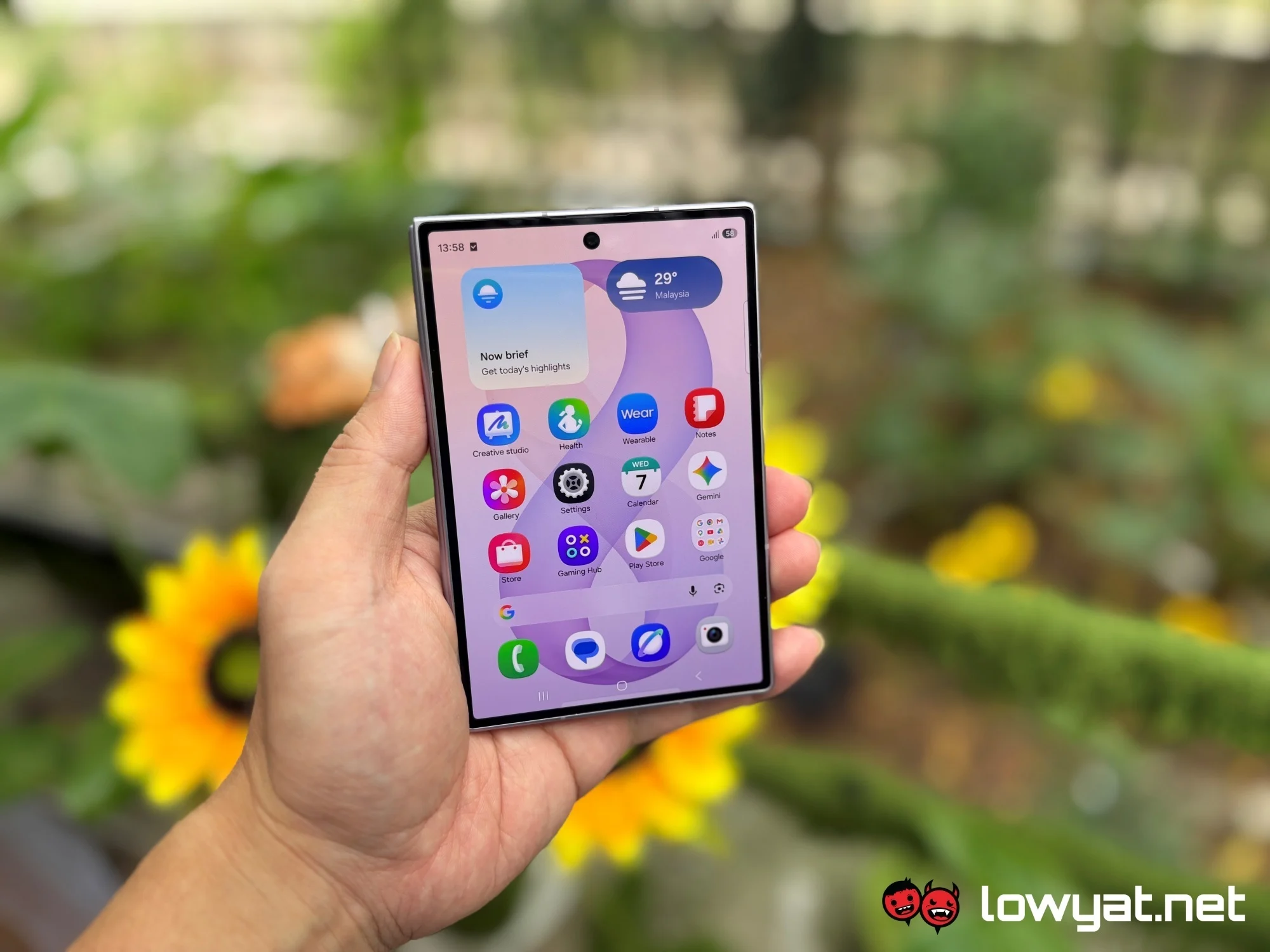
The Expert Take: Samsung One UI 10 Overhaul Impacts Developers
In our experience guiding mobile engineers through every major Android evolution since Gingerbread, we know what a full UI framework overhaul means—not just for end-users, but for the entire developer ecosystem. When Samsung revamps its One UI layer, it’s never just cosmetic; it shifts APIs, component behaviors, and sometimes even breaks established patterns. Having worked with teams adapting apps for Samsung’s massive global install base, we see these announcements as both a challenge and an opportunity for proactive engineers.
What Happened & Why It Matters
Samsung is reportedly planning a significant overhaul for One UI 10, its proprietary Android-based user interface, which could represent the largest update since its initial launch. While One UI 9.5 is still anticipated to debut alongside the upcoming Galaxy S27 series, leaks suggest that Samsung is already preparing the groundwork for a major redesign that may drastically impact app compatibility, user experience, and device capabilities. According to reports, this overhaul is not just incremental; it is expected to introduce substantial changes that may affect both the look and feel as well as the underlying framework used by millions of Samsung device users worldwide.
Why does this matter? Samsung controls nearly 20% of the global smartphone market, with over a billion active devices running its customized One UI layer. Any major UI or system update from Samsung can create a ripple effect throughout the Android development community, requiring developers to optimize, refactor, and sometimes even rethink their mobile app strategies for compatibility and user retention.
The Technical Reality: What Engineers Need to Know
As engineers, we have to look beyond the marketing headlines. A 'major overhaul' to One UI 10 will likely mean a combination of new design language, behavioral changes in system components, updated Samsung-specific APIs, and possibly deprecations in the underlying framework. Historically, each major One UI update has introduced changes to navigation paradigms, notification handling, and device-specific features (like Samsung DeX or Edge Panels). For reference, One UI 6.0 (based on Android 14) already introduced significant modifications to notifications, quick settings, and widget behaviors. This time, the overhaul may be even more fundamental.
Technically speaking, engineers should anticipate updates to the
com.samsung.android.*Engineers should also watch for changes in device security and privacy controls. With every overhaul, Samsung typically aligns closer with the latest Android security protocols but adds its own device management hooks. For example, with One UI 5.0, Samsung added extra layers to biometric authentication and secure folder management. If One UI 10 follows suit, expect to update your handling of
BiometricPromptFrom an architectural standpoint, you’ll need to review your app’s dependencies on Samsung-specific features: S-Pen, Multi-Window, Edge Lighting, Bixby routines, and proprietary camera APIs. Regression testing will be critical. We recommend using the Samsung Remote Test Lab to validate your builds across beta and release candidate firmware versions. For teams using Jetpack Compose, pay attention to compatibility shims Samsung may provide—or break—with the new framework. If your app relies heavily on custom notifications, background processing, or overlay UI elements, you’ll almost certainly need to refactor for new restrictions or behavioral changes introduced in One UI 10.
Lastly, be aware of the Samsung Good Lock ecosystem and how customizations there might be reset or changed. Developers often overlook this, but power users depend on Good Lock modules for productivity, and major UI updates can disrupt these workflows, impacting app reviews and retention.
Why This Directly Impacts Your Tech Career
If you’re a mobile developer, UI designer, or QA engineer, Samsung’s One UI 10 overhaul is a signal to upskill or risk falling behind. As one of the largest Android OEMs, Samsung’s platform-specific quirks routinely surface in job descriptions—especially for roles focused on app compatibility, testing, and optimization. Software engineers developing consumer apps, fintech solutions, or workplace productivity tools must often guarantee seamless operation across all major Samsung devices, from flagship phones to tablets and foldables.
In the next 12-24 months, we anticipate a spike in demand for engineers with hands-on experience adapting apps for Samsung’s ecosystem—especially those familiar with device-specific APIs, custom theming, and UX nuances. QA automation engineers will also be in high demand as regression testing for UI breakages becomes critical during and after the One UI 10 rollout. Industries most affected will include healthtech (where device security and biometric flows are crucial), fintech (where custom notifications and secure transactions are common), and enterprise mobility (which often relies on Samsung Knox and device management features).
From a compensation perspective, engineers who can demonstrate expertise in cross-OEM testing, rapid adaptation to UI changes, and deep knowledge of Samsung-specific APIs can command 10-20% higher salaries compared to generalist Android developers. According to Glassdoor, specialized Android developers in North America already average $110,000–$140,000, but those with proven Samsung device expertise regularly report offers above $150,000, especially in consulting or large-scale consumer apps. Now is the time to position yourself as a subject matter expert.
Skills You Should Build Right Now
- Samsung-Specific API Mastery – With One UI 10 expected to overhaul core components, mastering Samsung’s proprietary APIs (e.g., S-Pen, Edge Panels, Bixby Routines) will be invaluable. Learning path: Build and publish a sample app using at least two device-specific features, referencing the latest Samsung Developer Docs.
- Adaptive Theming & Material You Integration – The overhaul will likely affect how themes and colors propagate through apps. Learning path: Complete Google’s Material You codelabs and implement dynamic theming in a Samsung device emulator.
- Advanced UI Testing & Automation – Regression risks are high with major UI updates. Learning path: Set up Espresso or UI Automator test suites focused on Samsung’s unique UI behaviors, and validate across multiple One UI versions using Samsung Remote Test Lab.
- Backward Compatibility & Feature Detection – Ensuring your app works on both old and new One UI versions is crucial. Learning path: Learn to use APIs like and
Build.VERSION.SDK_INTfor conditional logic in your apps.PackageManager.hasSystemFeature() - Device Security & Biometric Integration – Likely changes to authentication flows require up-to-date skills. Learning path: Integrate and Samsung Secure Folder APIs into a demo project.
BiometricPrompt - Good Lock & Power User Customization Awareness – Understanding how Good Lock modules interact with your app can preempt user complaints. Learning path: Participate in Samsung community forums and test compatibility with major Good Lock modules post-update.
Interview Preparation: Questions to Expect
- Conceptual: "How would you ensure your app remains compatible across major One UI version changes, especially during a full framework overhaul?" Showcase your understanding of feature detection, backward compatibility strategies, and proactive regression testing.
- Technical: "Describe how Samsung’s custom APIs (e.g., S-Pen, Edge Panel) differ from standard Android APIs, and how you would architect a feature to support both." Highlight use of abstraction layers and conditional runtime logic.
- Behavioral: "Tell us about a time when a device manufacturer’s UI update broke your app. How did you respond?" Emphasize communication with users, rapid hotfix deployment, and lessons learned.
- Practical: "Write a code snippet to detect if a device is running One UI 10 and enable/disable a feature accordingly." Be ready to use checks and Samsung-specific system properties in your answer.
Build.VERSION
Support Me Techs Perspective
From our hands-on experience running live workshops and code clinics during previous One UI transitions, we know that theory alone won’t get you through a Samsung overhaul. Our approach at Support Me Techs is to pair you with real device testing, regression challenge sprints, and direct mentorship from engineers who’ve navigated these transitions in production apps. We emphasize not just API literacy but battle-tested strategies for stability, user communication, and rapid iteration. Our alumni have shipped apps that survived (and thrived) through past One UI updates, and we’ll help you do the same—no guesswork, just actionable skills that deliver real-world results.
3 Things You Can Do This Week
- Download and explore the latest Samsung Remote Test Lab images for One UI 9.x and start regression testing your current projects.
- Join the Samsung Developer Community forums and subscribe to the official One UI Beta Program to stay ahead of breaking changes and beta firmware releases.
- Refactor one of your existing app features to use feature detection and runtime version checks, then document how you’d adapt it for a future One UI 10 API change.
Frequently Asked Questions
What are the biggest risks for app developers with the One UI 10 overhaul?
The primary risks are regression bugs, broken UI layouts, and deprecated APIs that can cause crashes or features to stop working. Samsung’s overhauls often change core behaviors (navigation, notifications, theming), so proactive regression testing and backward compatibility strategies are essential. If you rely on Samsung-specific APIs, monitor the official developer docs and beta releases closely, and always test your apps on both the latest and previous One UI versions before pushing updates to production users.
How can I prepare my app for Samsung’s major UI changes?
Start by following best practices for modularization and feature flags in your codebase, so you can quickly enable or disable features as needed. Use
Build.VERSIONWill One UI 10 affect only Samsung flagship devices, or older models too?
While flagship devices like the Galaxy S27 series will receive One UI 10 first, Samsung typically rolls out major UI updates to many mid-range and even some older devices within 6–12 months. However, not all features will be supported on all hardware—some advanced features may require newer chipsets or sensors. Always consult the official Samsung device update matrix and test your app on a range of supported devices to guarantee the best user experience for your entire audience.
Want to read more?
This is a summary of the article. You can read the full story on the original publisher's website.
Read Full Article